
How to Check Amazon Fees by Product (SKU): A Beginner's Guide
You've started selling on Amazon. Orders are coming in, and you're beginning to understand which products are selling.
But when you check your results, you may have another question:
How much is Amazon actually charging me for each product?
Amazon selling fees aren't always one simple deduction. Depending on how you sell, different charges can affect the amount you keep.
For new sellers, understanding these fees is an important step toward understanding product profitability.
1. What fees should you look for?
If you're using Fulfillment by Amazon (FBA), some of the main charges to understand are:
Referral fees: Amazon charges a referral fee when you sell a product. The amount depends on the product's fee category and applicable rules.
FBA fulfillment fees: These cover services such as picking, packing, and shipping your products. Charges depend on factors including product size and weight.
Inventory storage fees: Storing products in Amazon fulfillment centers can result in monthly storage charges.
Other applicable fees: Depending on your products and activities, you may also encounter returns-related charges, promotional fees, and other service costs.
Advertising is another expense to consider if you're running Amazon Ads.
Not every seller pays every fee, and not every cost is charged on a per-unit basis.
You can review Amazon's official FBA fees guide for more information.
2. How can you check fees for a specific SKU?
Rather than looking only at total Amazon fees for your store, start with an individual product.
A SKU (Stock Keeping Unit) is an identifier used to track a particular product in your inventory.
Amazon Seller Central offers a SKU Economics tool and report that brings together product-level financial information, including sales, fees, and other supported costs.
This is a useful starting point if you want to understand the charges associated with a particular product.
When reviewing a SKU, ask yourself:
What referral and fulfillment fees apply?
Are there additional fees or refunds affecting this product?
What advertising expenses should I consider?
Have I accounted for my product purchase costs?
The last question is especially important.
Amazon selling fees are only part of your product's total costs.
If you're trying to understand profitability, you also need to consider the relevant product costs and other expenses.
3. Look beyond the fee total
Imagine two products that sell for the same price.
One is larger and heavier, so its FBA fulfillment costs may be higher. The other might have lower fulfillment fees but require more advertising.
Their selling prices are identical, but the costs behind those sales can be different.
That's why understanding fees by SKU can be more useful than simply looking at your overall store sales.
You can start by reviewing the costs associated with your most frequently sold products, rather than trying to analyze your entire catalog at once.
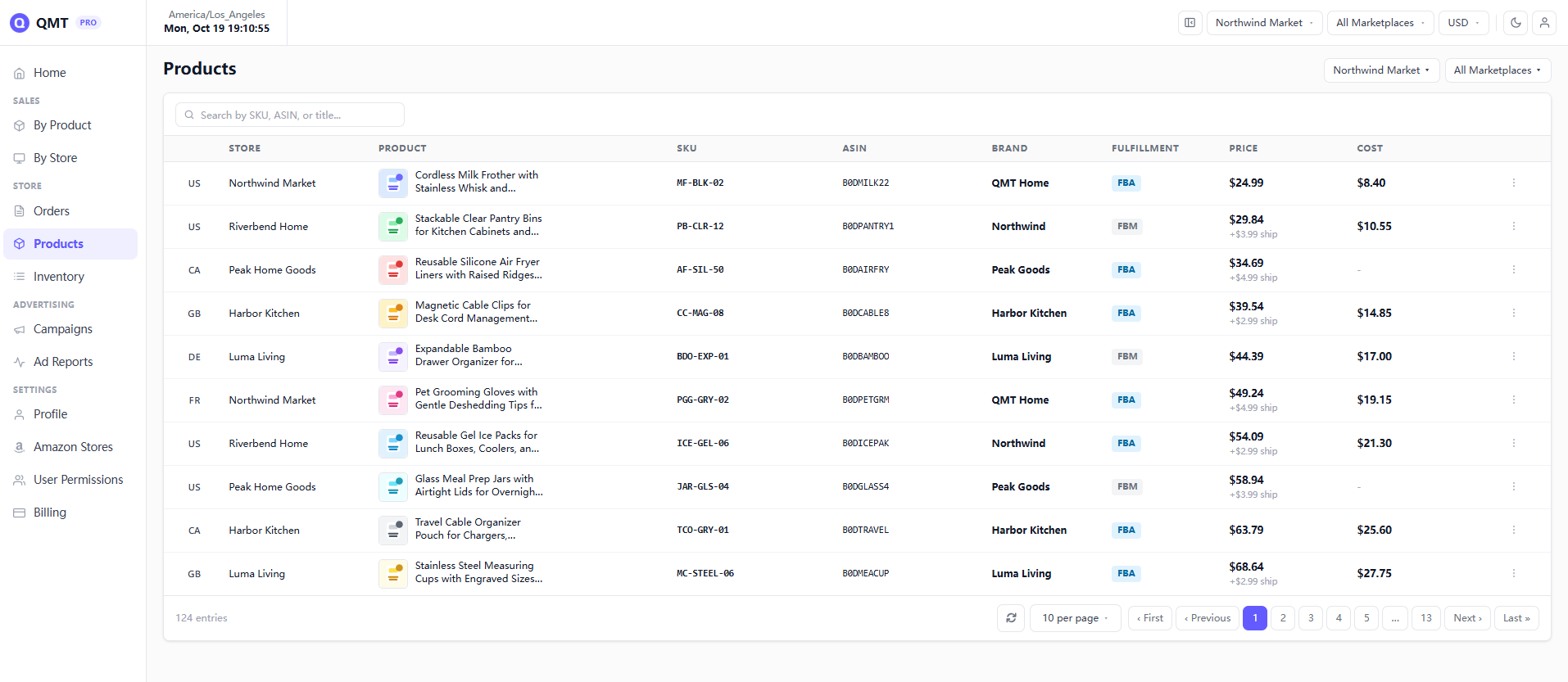
4. A simpler way to review product profitability
Amazon Seller Central provides useful financial reports, including SKU Economics.
If those reports already give you everything you need, you may not need another tool.
But if you prefer a focused dashboard for checking product performance, QMT is another option.
QMT's By Product view lets Amazon FBA and FBM sellers review information for individual SKUs, including:
Sales and estimated profit
FBA fees and commissions
Refunds and other supported charges
Advertising costs, when Amazon Ads is connected
Product purchase costs
You can also enter and update product costs (COGS) to support your profitability calculations.
QMT doesn't automatically capture every possible business expense. Profit figures depend on the available Amazon data and the costs you've maintained.
For sellers with up to 1,000 orders per month across connected stores, QMT offers a Free plan.
You can explore the product dashboard before registering or connecting your Amazon account.
If you're also trying to understand how missing or outdated costs can affect your margins, read our related guide:
How to Track Amazon Profit Without Excel — and Avoid Misleading Margins
Understanding what Amazon charges for each product is a useful starting point. The next step is understanding how those costs affect what your business actually earns.